
Creating an Order
The Create Order feature allows you to take collect payments independently of the registration process.
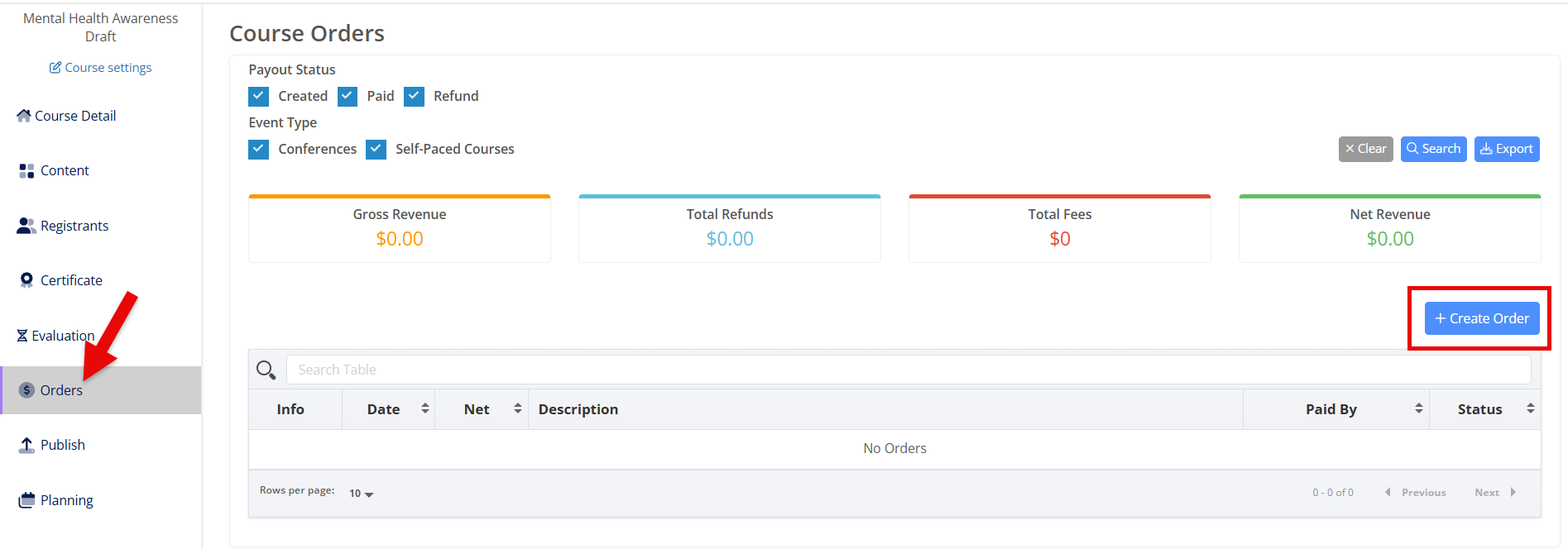
From the Orders page, click the blue + Create Order button.
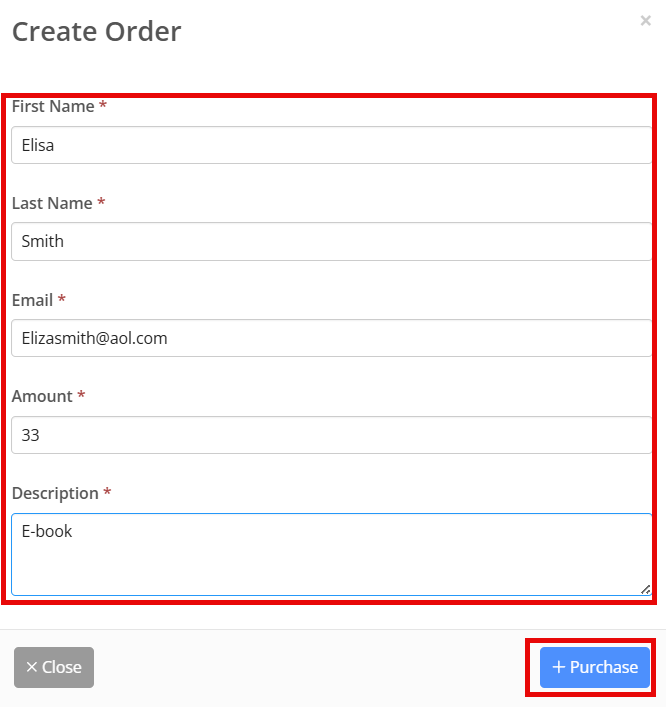
Enter the payor's first name, last name, email, the amount to be paid, and a description of what the charge is for, then click + Purchase.
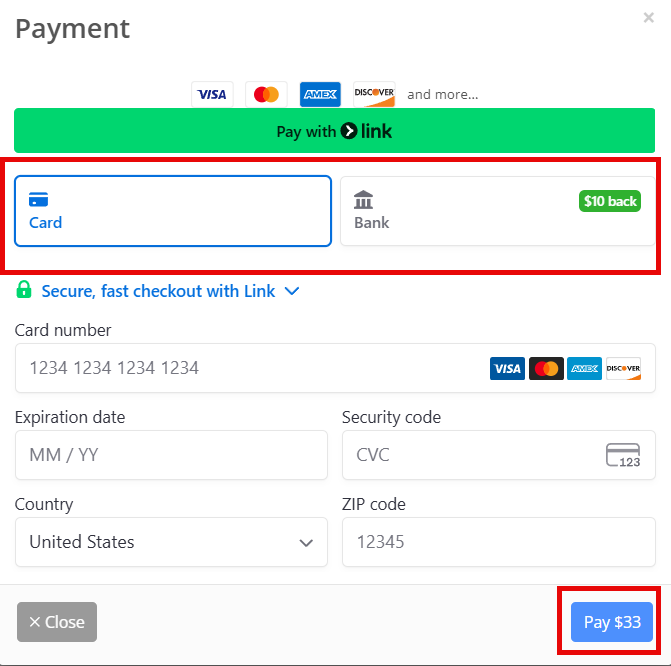
Next, enter the payor's credit card details or banking details, and then click Pay to complete the payment.
You'll now see the completed order and payment information on the Orders page.